

How to add subtitles in my languages?


  1. Please click the “もっと見る”, then the gray frame expands.
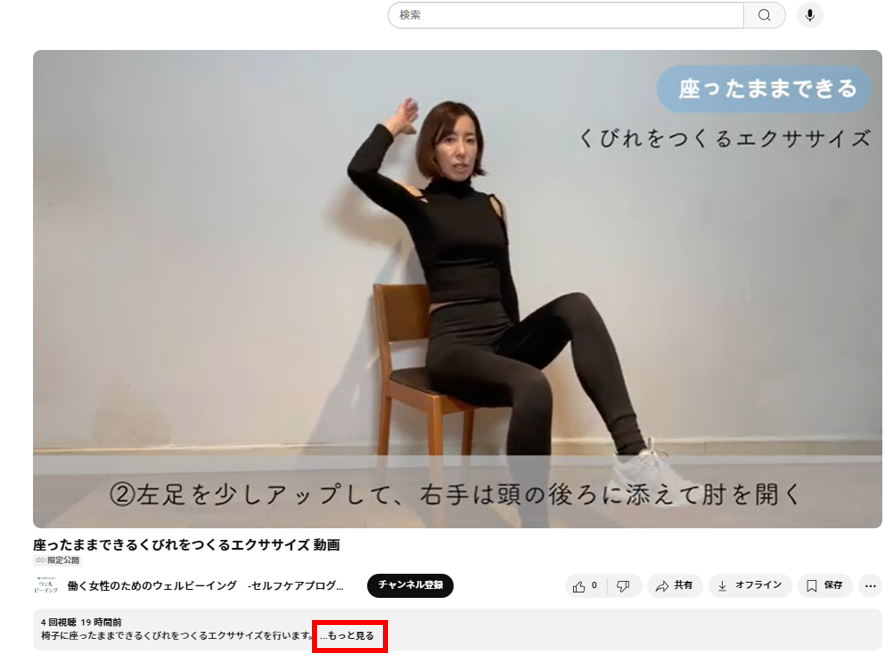
Please click the “もっと見る”, then the gray frame expands.


2. Please click the “文字おこしを表示”.
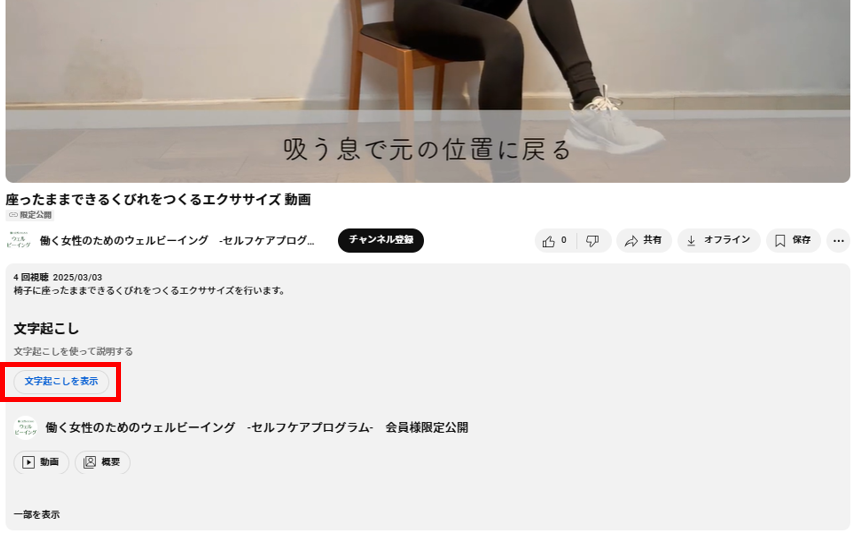
Please click the “文字おこしを表示”.


3. You can see Japanese subtitles on the right side.
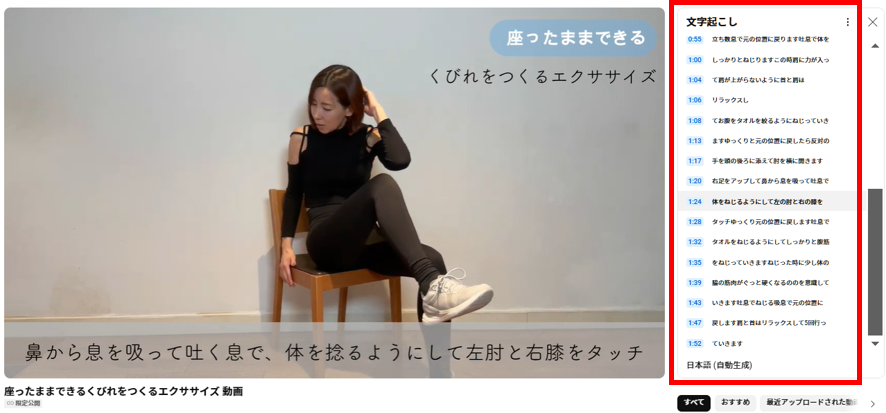
You can see Japanese subtitles on the right side.


4. Please right-click anywhere. (except on the movie.)
The new window opens and click the “Englishに翻訳”.
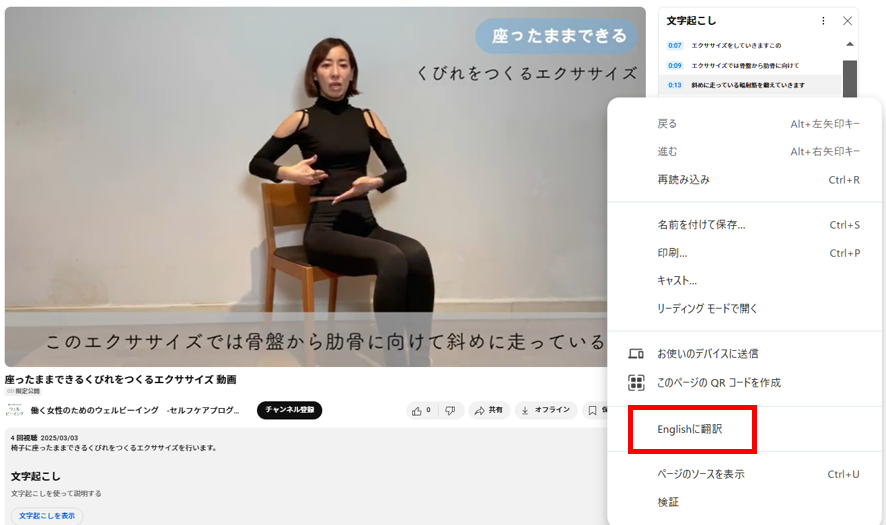
Please right-click anywhere. (except on the movie.) The new window opens and click the “Englishに翻訳”.


5. You can see English subtitles.
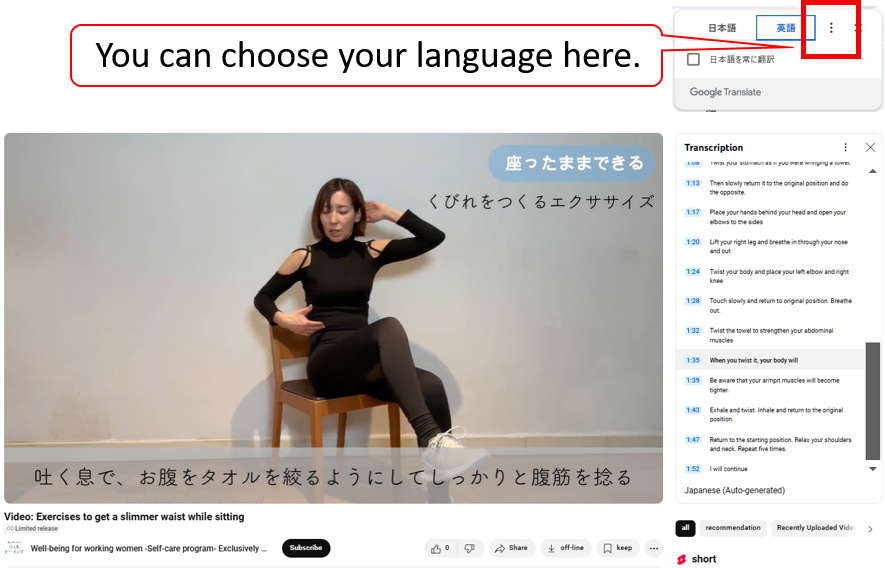
You can see English subtitles.

<< Return to the videos